| Framework EDI Reference. SEFManager Utility | |
| Add Object Variable to a Data Element |
To add an object variable to a data element, take the following steps:
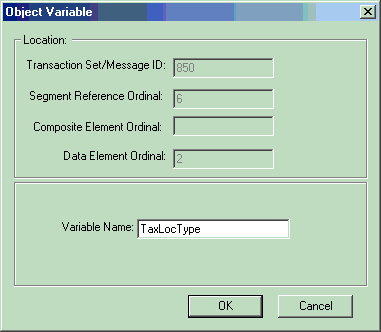
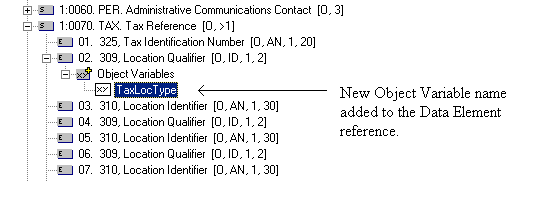
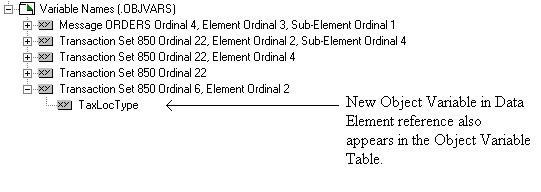
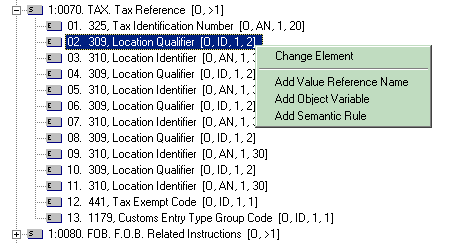
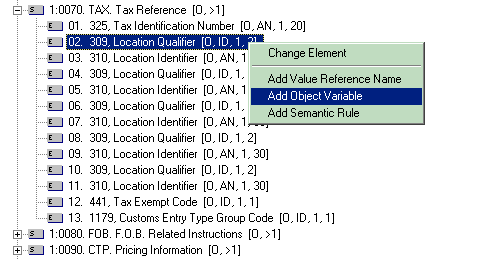
The following steps demonstrates how to add an Object Variable to a Data Element reference. For example, the Object Variable with the name "TaxLocType" will be added to the Data Element reference 309 (Tax Identification Number) having ordinal number 2, which is contained in Data Segment TAX (Tax Reference). The segment reference TAX has an ordinal number 6 in the ASC/X12 Transaction Set 850.
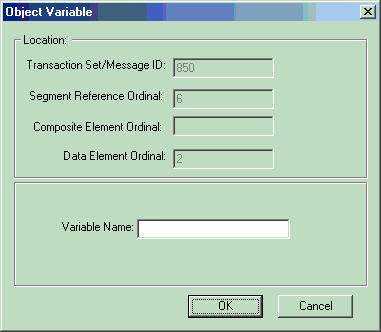
The Transaction Set/Message ID field displays the ASC/X12 Transaction Set or UN/EDIFACT Message that the Data Element belongs to. The Segment Reference Ordinal displays the ordinal number of the Data Segment reference containing the Data Element that the Object Variable will be added to. The Data Element Ordinal displays the ordinal number of the Data Element. In the example shown, the Object Variable is being added to the Data Element with ordinal number 2 in the Data Segment reference. The Data Segment reference is at ordinal 6 in the ASC/X12 Transaction Set 850.