
| Framework EDI Reference. eSecurityConsole Utility | |
| Cryptographic Service Providers |
All Microsoft Windows operating systems, except for Windows 95 (R), allow third party vendors to supply their own security services to the system. These services are stored in the operating system and are identified uniquely by their Cryptographic Service Provider name. Each Cryptographic Service Provider (CSP) contain the following:
To list CSPs available in the system, click the following in the toolbox menu.
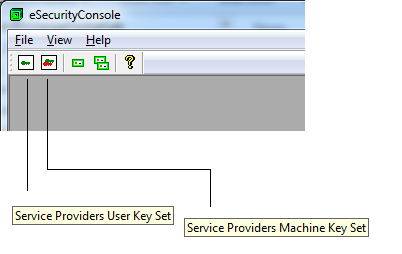
Alternatively, to access these using the menu, click the following
NOTE: In Machine Key Set mode, enumerating CSPs on the local machine may take a while to complete.
To list all algorithms supported by a CSP:
Each CSP also lists all key containers available in its key container database. Key containers hold, at most, two public/private key pairs for use in public key encryption and digital signing -- Key Exchange and Digital Signature.
To list all key containers in a CSP:
NOTE: In User Key Set mode, only the key containers that are accessible to the logged on user are displayed; Machine Key Set mode lists all key containers available to the local machine. Also note that some key containers available to the logged on user, may not be available to the local machine; and vice versa.
NOTE: The eSecurityConsole does not add or install additional CSP to the system.