A private key is required to generate a digital signature for a
file. Because the digital certificate does not hold the private key, it
must therefore be associate to a key container. The private key in the
key container is then used to sign the file. To sign a file, take the
following steps:
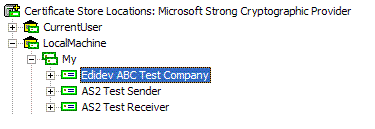
Select and highlight the certificate that will be used for
signing.
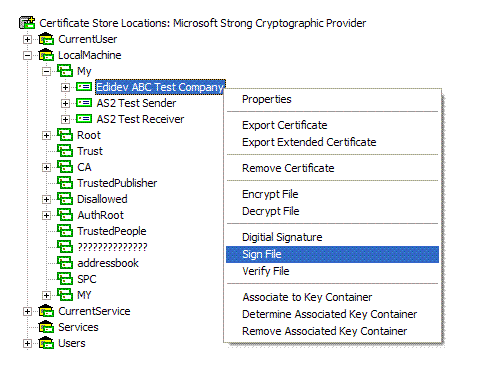
Right click and scroll down to Sign File on the pop
up menu.
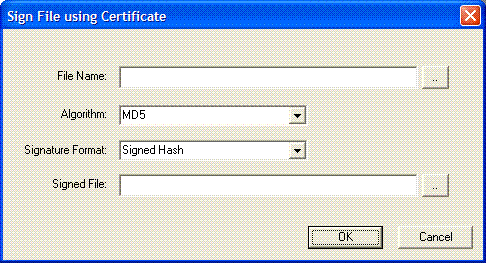
The following dialog box is displayed:
Fill in the information for the following entries in the dialog
box:
File Name. Enter the full file path name of the
file to sign. Click (..) to browse the file to sign.
Algorithm. Select the algorithm used to sign the
file. The available algorithms depend on the service provider used to
open the certificate store.
Signature Format. Enter the format of the digital
signature. The following options are currently available:
Signed Hash. This format is based on generating the
hash of the file and then digitally signing the hash.
Signed Data. This format follows the PKCS#7
SignedData format. The signed file is embedded together with the digital
signature.
Signed Data (Detached). This format follows the
PKCS#7 SignedData format. The signed file is detached from the digital
signature.
Signed File. Enter the full file path name of the
resulting signed file. Click (..) to browse the target path and file
name.