| Framework EDI Reference. eSecurityConsole
Utility |
 |
| Key Containers |
Signing a File
To sign a file, take the following steps:
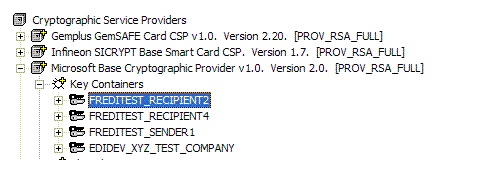
- Select and highlight the key container that will be
used for signing.
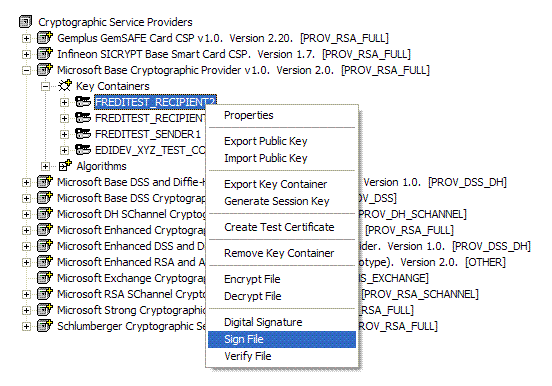
- Right click and scroll to Sign File in the
popup menu.
- The following dialog box is displayed:
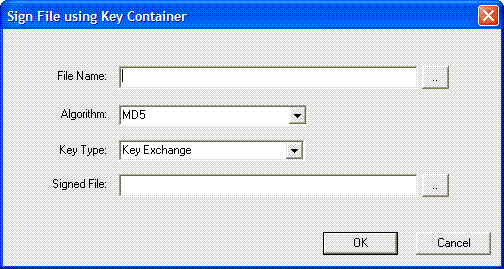
Fill in the information for the following entries in the dialog box:
- File Name. Enter the full file path name of
the file to sign. Click (..) to browse the file to sign.
- Algorithm. Select the algorithm used to sign
the file. The available algorithms depend on the service provider
used to open the certificate store.
- Key Type. Select the public/private key pair
of the key container. The private key of the following selected
key pair is used to sign the file:
- Key Exchange
- Digital Signature
- Signed File. Enter the full file path name of
the resulting signed file. Click (..) to browse the target path
and file name.
- Click OK to accept entries and sign the file.