
| Framework EDI Reference. eSecurityConsole Utility | |
| Certificate Store Locations |
Each certificate locations consists of a collection of:
Multiple certificate system stores exist in the system, and are categorized and stored in multiple locations. To access a certificate store, click the following in the toolbox menu.
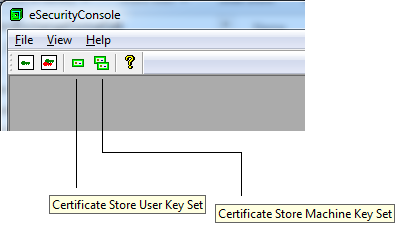
Alternatively, to access these using the menu, click the following
Certificate stores are opened using the default Cryptographic Service Provider (CSP) displayed at the top most node of the tree. This CSP is used to provide the security services applied by the certificate store or digital certificates in the store.
To open certificate stores using a different CSP:
When opening the certificate store, eSecurityConsole attempts to open a default key container belonging to the CSP selected. If none are found or no default key container could be opened then eSecurityConsole attempts to add a new key container called :"FrameworkEDI_Secure_Context_00" whereby it can use the key container to provider the security services. If this fails then the certificate locations will fail to display.